
Which Korean food delivery apps work for foreigners? Compare Baemin, Coupang Eats, Yogiyo and Shuttle, and learn key words like 배달, 결제 and 문 앞에 놔주세요 to order.
It's 9 p.m., you're back in your tiny Seoul apartment, and you are too tired to go outside. Your phone is right there. Everyone keeps telling you Korea has the best food delivery on Earth — so why does opening the app feel like defusing a bomb in a language you half-recognize?
You're not alone. Ordering delivery in Korea is genuinely one of the fastest, cheapest, most magical parts of living or traveling here — but only once you know which apps actually work for foreigners and which few Korean words unlock the whole thing. Let's fix that tonight.
Why delivery apps matter so much in Korea
Korea runs on 배달 (baedal), "delivery." Fried chicken at midnight, 떡볶이 (tteokbokki), "spicy rice cakes," on a rainy afternoon, a full stew delivered to a park bench — it's all normal here, and it's fast, usually 30 to 45 minutes.
For a traveler or a new resident, delivery is also low-pressure speaking practice. There's no line behind you, no cashier waiting. You get to read, tap, and slowly build the exact vocabulary you'll reuse in restaurants, cafés, and convenience stores.
The problem is that the biggest apps were built for Korean users first. Some now have English support; some don't. Knowing the difference saves you a lot of hungry frustration.
The main apps, compared
Here's the honest landscape as of now. "Foreigner-friendly" means how easy it is to get through the app without fluent Korean.
| App | Korean name | English UI? | Foreigner-friendly? | Best for |
|---|---|---|---|---|
| Baemin | 배달의민족 (baedarui minjok) | Limited | ⭐⭐ | Biggest selection, but Korean-heavy |
| Coupang Eats | 쿠팡이츠 | Partial | ⭐⭐⭐ | Fast, single-order focus, cleaner UI |
| Yogiyo | 요기요 | Limited | ⭐⭐ | Wide coverage, promos |
| Shuttle | 셔틀 | Full English | ⭐⭐⭐⭐⭐ | Made for expats & students |
| Baemin sister apps / hotel concierge | — | Varies | ⭐⭐⭐ | Travelers in hotels |
The short version: if you want a fully English experience, Shuttle is built for international users and campus areas. If you want the widest food selection, you'll eventually want Baemin or Coupang Eats — and that's exactly where a handful of Korean words pays off.
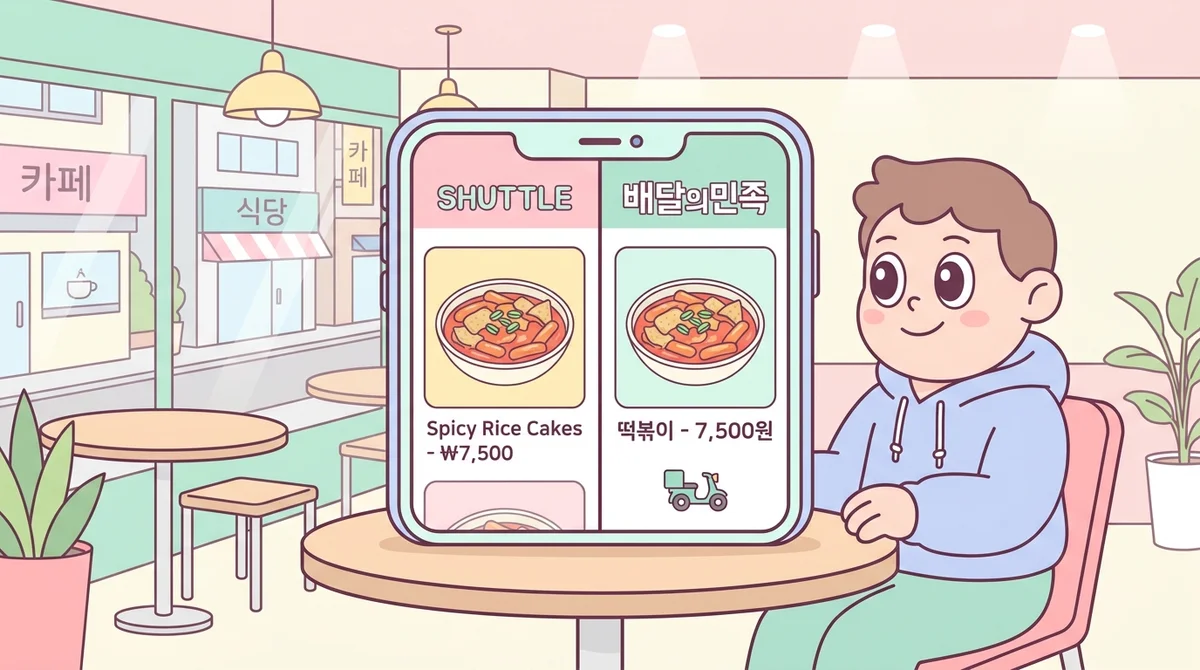
The catch with all of them: most require a Korean phone number and a payment method (a Korean card, or in some cases an international card or Apple Pay). Travelers on short trips often lean on hotel-assisted ordering or Shuttle for this reason, while residents set up Baemin once and never look back.
Common mistakes learners make when ordering
Before the vocabulary, let's clear the traps that trip up almost every newcomer.
Assuming the whole app is in English. A few buttons might be, but menus, options, and restaurant chat are almost always Korean. Don't panic — you only need to recognize a few patterns.
Ignoring the minimum order amount. Most restaurants have a 최소주문금액 (choeso jumun geumaek), "minimum order amount." If your cart is below it, the app quietly won't let you check out.
Forgetting the delivery fee. 배달비 (baedalbi), "delivery fee," is added at the end and changes by distance. That cheap 8,000-won meal can become 12,000 won.
Skipping the address details. Korean addresses need your building and unit. The 상세주소 (sangse juso), "detailed address," box is where you type your floor and door number.
Not reading the options. Many dishes ask 맵기 (maepgi), "spice level," or drink choices. Tap through them; blank required options block your order.
Step-by-step: ordering without fluent Korean
Here's the flow that works on nearly every Korean delivery app.
1. Set your address. Find 주소 (juso), "address," usually top of the screen. Search your building and add the 상세주소 (sangse juso), "detailed address."
2. Pick a category or search. Look for 치킨 (chikin), "chicken," 피자 (pija), "pizza," 한식 (hansik), "Korean food," or type a dish name.
3. Check the restaurant minimum. Confirm 최소주문금액 (choeso jumun geumaek), the minimum, before you get attached to a menu.
4. Add to cart. The button is 담기 (damgi), "add," or 장바구니 (jangbaguni), "cart."
5. Choose options. Pick 맵기 (maepgi), spice level, and any sides. Required fields have a red mark.
6. Choose delivery type. 배달 (baedal), "delivery," vs. 포장 (pojang), "pickup/takeout." Pick 배달 to have it brought to you.
7. Pay. 결제 (gyeolje), "payment." Register a card once and it's saved.
8. Add a note if needed. The 요청사항 (yocheongsahang), "request note," box is where you write "leave at the door."
Real-life example phrases and mini-dialogues
Even with an app, you'll sometimes get a call or a chat message from the restaurant or rider. Here are the exact lines that come up — practice saying them out loud.
When the rider messages "I'm here":
Rider: 문 앞에 두고 갈게요. (mun ape dugo galgeyo.) — "I'll leave it at the door."
You: 네, 감사합니다! (ne, gamsahamnida!) — "Yes, thank you!"
If a menu item is sold out and they call:
Restaurant: 죄송한데 그 메뉴 지금 품절이에요. (joesonghande geu menyu jigeum pumjeorieyo.) — "Sorry, that item is sold out right now."
You: 아, 그럼 취소할게요. (a, geureom chwisohalgeyo.) — "Ah, then I'll cancel."
Or: 다른 거 추천해 주세요. (dareun geo chucheonhae juseyo.) — "Please recommend something else."
Setting the spice level low:
You: 안 맵게 해주세요. (an maepge haejuseyo.) — "Please make it not spicy."
Asking them to leave it at the door (typed in the request box):
문 앞에 놔주세요. (mun ape nwajuseyo.) — "Please leave it at the door."
A quick, useful phrase if the food is late and you call:
배달 언제쯤 올까요? (baedal eonjejjeum olkkayo?) — "About when will the delivery arrive?"
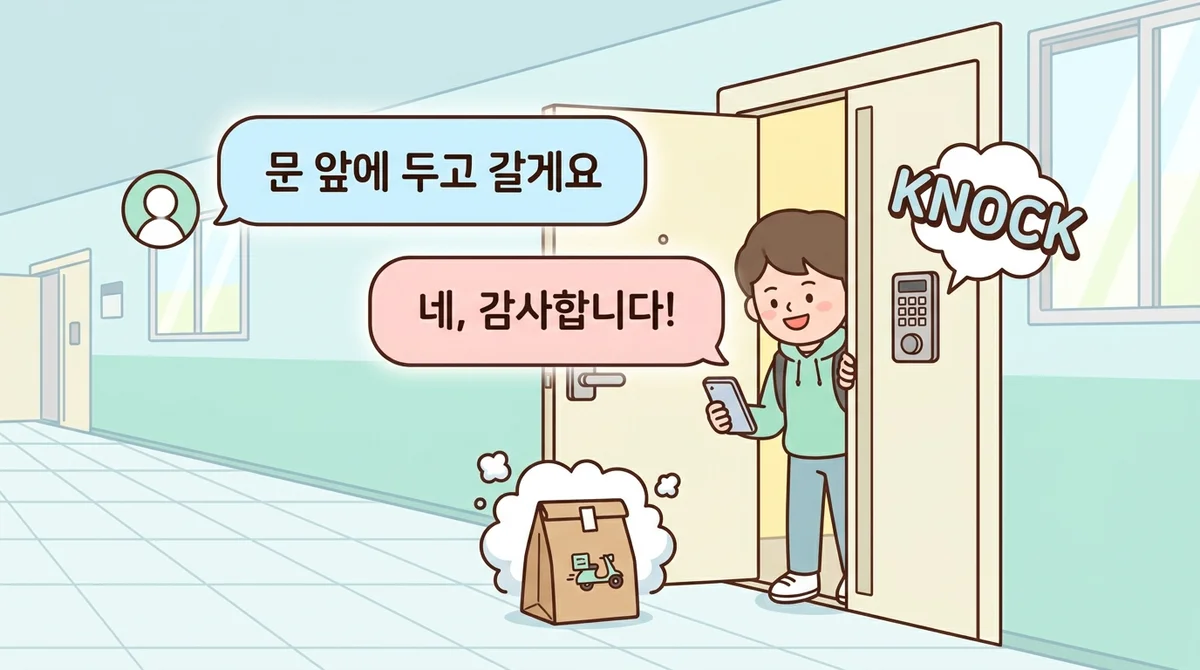
Notice how short these are. You don't need to explain yourself in full sentences — Korean delivery talk is fast and friendly, and 감사합니다 (gamsahamnida), "thank you," covers a lot of ground.
Practice tips: make it stick before you're hungry
Reading these phrases is easy. Saying them under pressure — when a rider is actually calling you — is the hard part. The gap between recognizing 문 앞에 놔주세요 (mun ape nwajuseyo) and saying it is exactly where most learners freeze.
The only fix is speaking it out loud, over and over, until it's automatic. Talk to your empty room. Say your order to your reflection. Repeat 안 맵게 해주세요 (an maepge haejuseyo) five times before you tap "order."
This is exactly what Teuida is built for. Instead of memorizing word lists, you role-play real Korean situations out loud — including ordering food and talking to a delivery rider — and Teuida's AI pronunciation feedback scores how you say each line and shows you what to fix. It's the next best thing to having a Korean friend on speakerphone coaching you.
In Teuida's Korean course, you can practice ordering-and-delivery scenarios like the ones above in a K-drama-style conversation, so the words feel natural before you ever need them for real. Do it a few nights in a row and 결제 (gyeolje), 배달 (baedal), and 문 앞에 놔주세요 stop being vocabulary and start being reflexes.
Small habit, big payoff: five minutes of speaking practice beats an hour of silent scrolling.
You've got this — now go order
Korean food delivery isn't a wall — it's one of the friendliest ways to use your Korean, because the stakes are low and the reward is dinner. Start with a foreigner-friendly app, learn the eight or nine words in this post, and let the rest come with repetition.
Tonight, pick one dish, one app, and one phrase — maybe 안 맵게 해주세요 — and say it out loud before you tap order.
Practice ordering Korean delivery out loud in Teuida's Korean course, get your pronunciation scored, and be ready the next time your phone rings mid-meal.


